
Import your ETS project
Upload the .knxproj and let the AI Assistant turn it into a reviewable Control4 structure with KNX context.
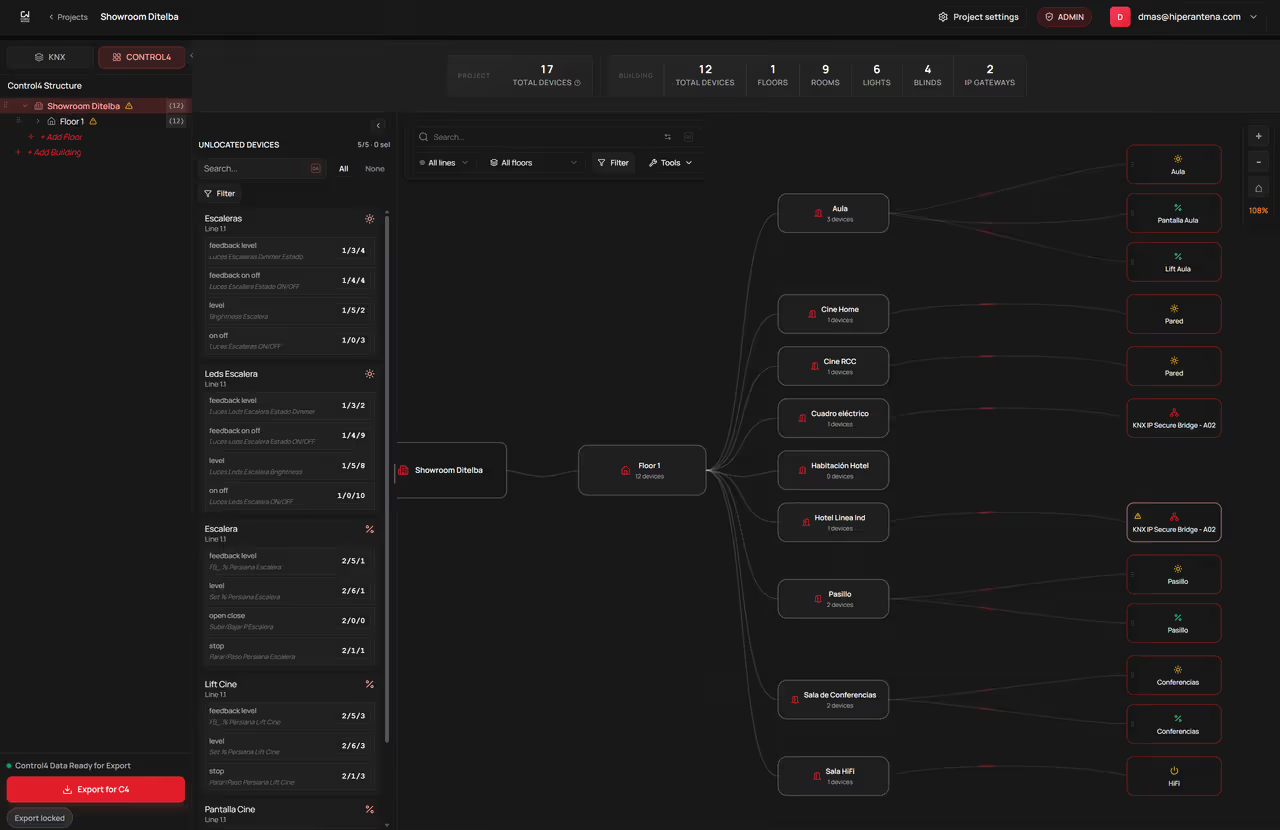
Import, process with AI, edit, and review your complete project for free. A license is only required when you export—and one free project license is included to test the full workflow.
Import ETS, process with AI, review, translate, and edit without paying. The license is requested only when you export the final .codu package.
Upload the .knxproj and let the AI Assistant turn it into a reviewable Control4 structure with KNX context.
Find devices, rooms, lines, or naming patterns and replace them in one controlled pass before export.
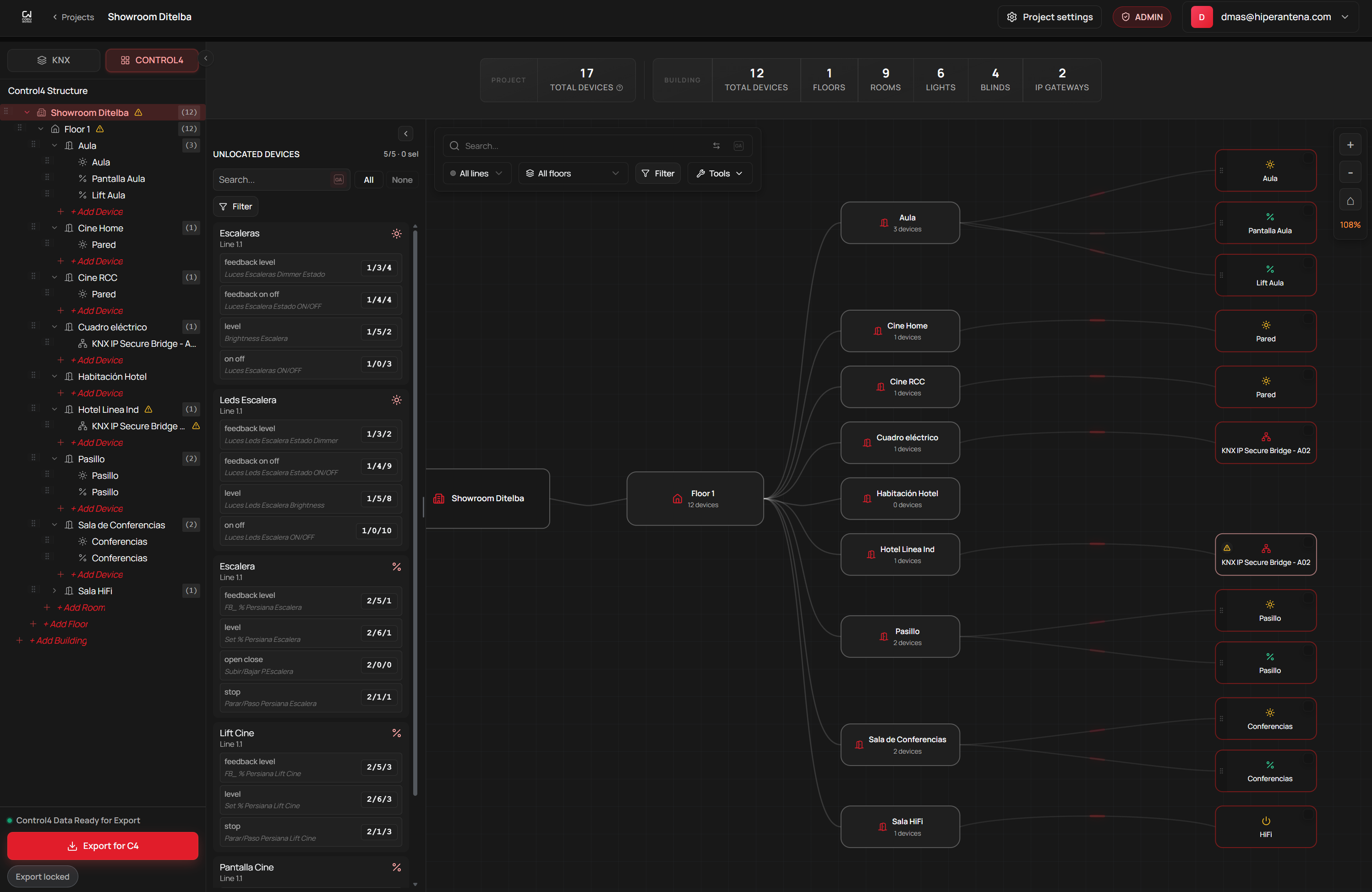
Verify KNX channels and linked Control4 devices in one view for a fast, easy project review.
Choose a target language and translate project names, rooms, lines, and devices in one pass, with review and rollback before export.
Update names, subtypes, rooms, and lines across many devices at once, review the changes, and keep the .codu export clean.
CoduWorks imports an ETS .knxproj into a cloud review workspace, uses project context to prepare a Control4 structure, and exports a reviewed .codu package for the CoduWorks Composer driver. Integrators can reorganize devices, inspect group-address and DPT context, make bulk changes, and review the result before the driver creates devices in Composer.

One project, one license. Choose your tier only by the number of lights, blinds, thermostats, and IP gateways prepared for Control4.
Add as many buildings, floors, rooms, and areas as your project needs. Project structure never uses the device allowance.
Swipe to compare all plans
 Small Project |  Most popular Most popularBig Project |  Monster Project | |
|---|---|---|---|
| Counted devicesOnly the four marked device types use this allowance. | Up to 75 | 76-300 | 301+ |
| LightsCounts toward tier | Included | Included | Included |
| BlindsCounts toward tier | Included | Included | Included |
| ThermostatsCounts toward tier | Included | Included | Included |
| IP gatewaysCounts toward tier | Included | Included | Included |
| Unlimited during the launch offerContacts, relays, motion sensors, and keypad buttons are currently included without using your device allowance or increasing the license price. | |||
| ContactsLaunch offer: no extra license cost | Unlimited | Unlimited | Unlimited |
| RelaysLaunch offer: no extra license cost | Unlimited | Unlimited | Unlimited |
| Motion sensorsLaunch offer: no extra license cost | Unlimited | Unlimited | Unlimited |
| Keypad buttonsLaunch offer: no extra license cost | Unlimited | Unlimited | Unlimited |
| Project priceone-time project license | Launch offer 150 € Save 50% | Launch offer 300 € Save 50% | CustomTailored to your project |
| Open AI Assistant | Open AI Assistant | Talk to our team | |
Counts toward tier
Unlimited during the launch offer
Contacts, relays, motion sensors, and keypad buttons are currently included without using your device allowance or increasing the license price.Counts toward tier
Unlimited during the launch offer
Contacts, relays, motion sensors, and keypad buttons are currently included without using your device allowance or increasing the license price.Counts toward tier
Unlimited during the launch offer
Contacts, relays, motion sensors, and keypad buttons are currently included without using your device allowance or increasing the license price.If you want to check whether the workflow fits a real project, book a short session and we will review the context before you start.
Useful for questions about ETS, supported devices, .codu export, or the Composer build.

Start in the platform or contact us if you want to review a project.
 CoduWorks
We use optional analytics cookies to improve your experience.
You can change your choice at any time.